
GUI - CDP Widgets
CDP Widgets
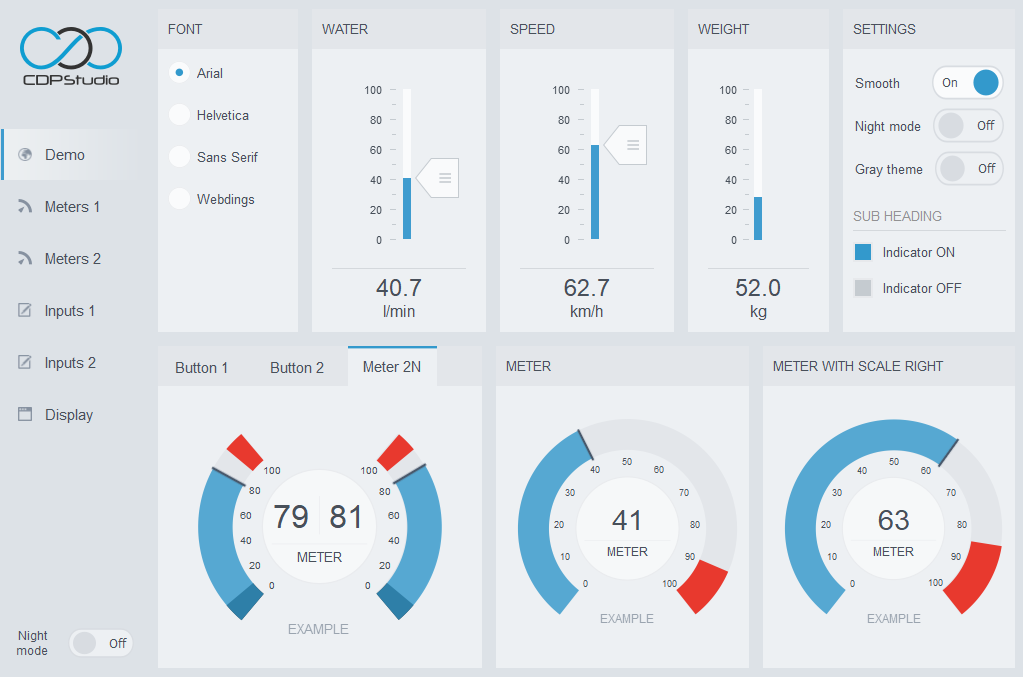
The graphical CDP elements/widgets are configured by editing properties. They include features like language support, real time font switching, animated dialogs, keyboard, communication, themes and much more. The above image shows a demo styled using the theme named flat_gray_light.
In addition to the documentation on this page, new users should have a look at the manual for CDP Studio Design mode to get a feature overview. There are also examples and tutorials available in the CDP Studio Welcome mode.
Contents
Examples
- Button Examples
- How to show markers/bubbles on buttons
- How to make buttons load dialogs
- How to make buttons send CDP messages
- How to make buttons set a CDP signal or property value
- How to make buttons in GUI identical to IO buttons
- How to make buttons show the state of remote objects
- How to configure buttons in a radio group
- How to use buttons in a menu
- Slider Examples
Tutorials
Get started with CDP Studio today
Let us help you take your great ideas and turn them into the products your customer will love.