
Calculating MTBF with Metrics
Introduction
This example shows how to calculate mean time between failures (MTBF) using the MetricsManager system. The tracked run signal for counting hours tracks the RunSignal.Output from a Sine generator with Offset=1.0 and Amplitude=0.1, so the signal stays above the default metric threshold (0.5) all of the time even though it is not constant. A failure pulse rises once every 10 seconds and resets the counter. The MetricsManager is configured inside a dedicated Metrics component.
Project Overview
This example includes:
- A Tracked run signal routed from RunSignal.Output (Sine, Offset=1.0, Amplitude=0.1). Tags:
label=run,asset=pump - A Tracked failure signal routed from RunSignal.Failure (square wave, 0.1 Hz, Symmetry=1%). Tag:
control=failure - A Metrics component (CDPComponent) that hosts the MetricsManager operator.
- A RealtimeMetricDataSource for realtime values and two metrics: an hour counter and a statistics block.
Metrics Definition
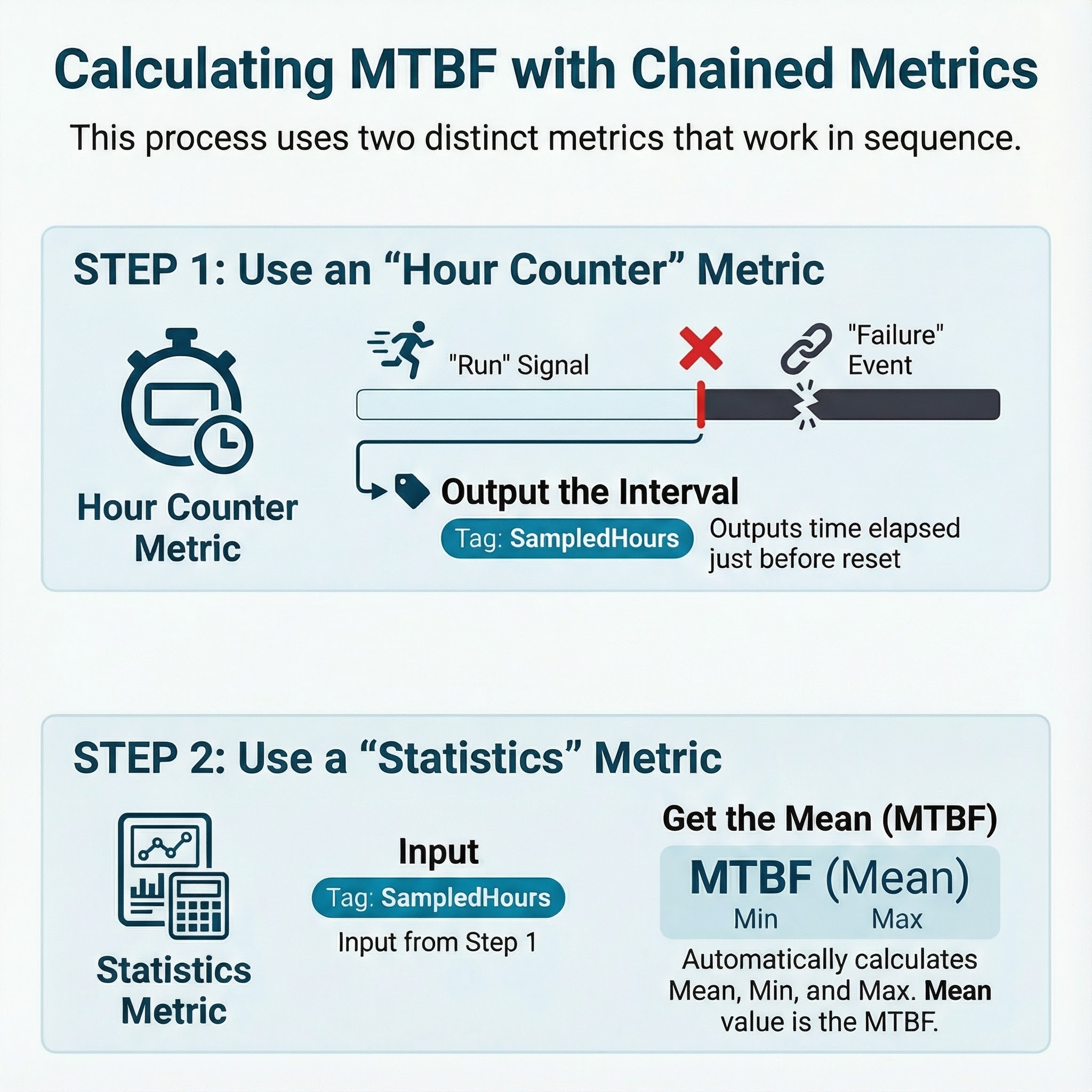
The MTBF calculation is built in two steps:
- MTBFBase uses MeasureType
3(Hour Counter) onlabel=run, resets oncontrol=failureand requiresasset=pump. - MTBFStats uses MeasureType
5(Statistics), measures themeasures=SampledHourstag emitted by MTBFBase, and requiresasset=pump,label=run. MTBFStats also sets the MeasureTag property tomtbfto no longer bemeasureto avoid circular references. This last step is critical for creting second order metrics that analyze other metrics' outputs.
The MTBFBase metric uses the BeforeReset logging flag so the SampledHours property is updated only on each failure pulse. MTBFStats then computes Mean, Min, Max and Std from those sampled intervals.
The routing is tag-based: application signals publish tags, and the metric definition sets tag values that Measure and Reset reference by name (label and control). The MetricDefinition also adds measure=SampledHours, allowing the statistics metric to target the MTBFBase output property.
Observing Results
After running the system, open Metrics.MetricsManager in CDP Studio and expand MetricNodes. The MTBFStats node will show a Mean value close to 0.00277 hours (~10 seconds).
Get started with CDP Studio today
Let us help you take your great ideas and turn them into the products your customer will love.