
Feature-Rich Widgets
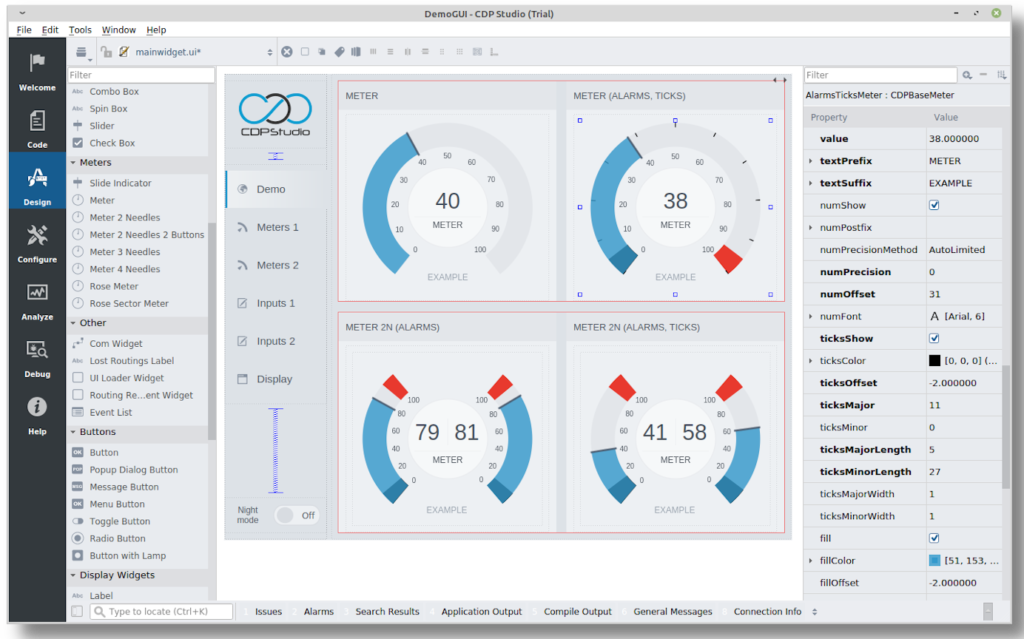
The HMI Designer includes a broad range of ready-to-use widgets for building professional interfaces – from meters and buttons to lamps, labels, and images. Container widgets make it easy to organize layouts with tabs, groups, or stacked views. All widgets are fully configurable in the no-code editor for fast and flexible design.
Customizable Themes
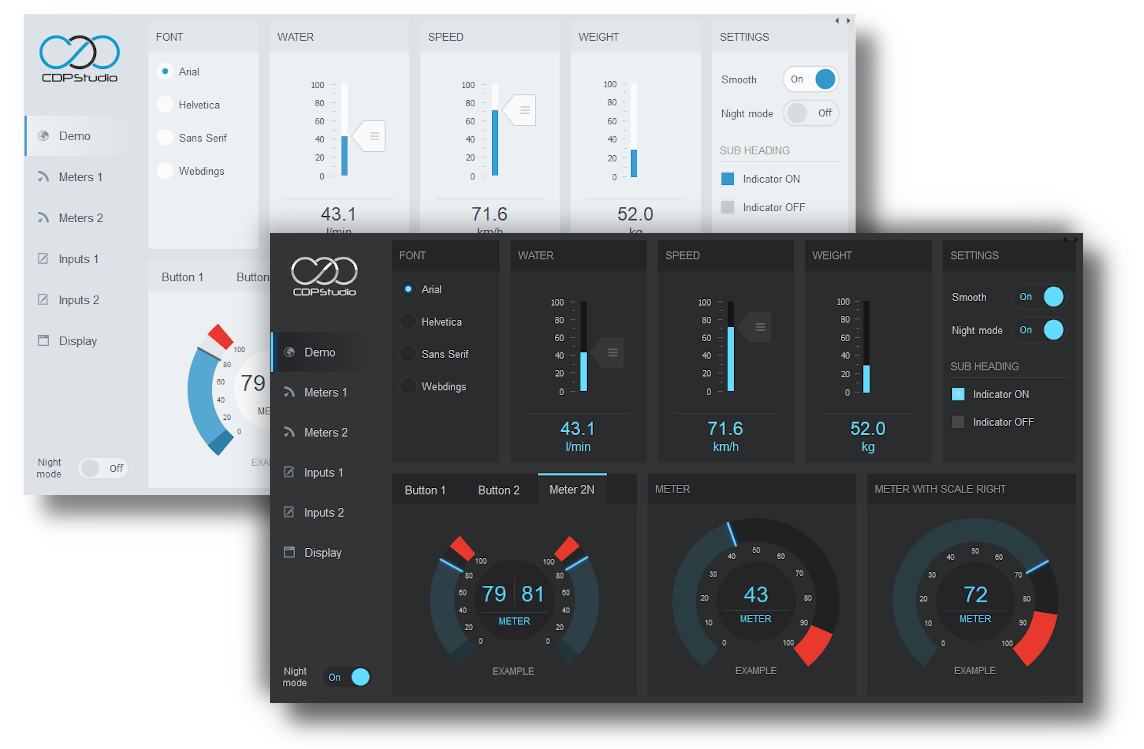
CDP Studio includes professionally designed themes for creating consistent, modern interfaces. Choose from light, dark, or Open Bridge styles, or customize your own to match project or brand requirements.
Responsive Design & Layout Control
Widgets resize smoothly across screens and resolutions. Layout tools give developers precise control over scaling, while UIs can also adapt dynamically to system states and operating modes.
Dynamic Node Widgets
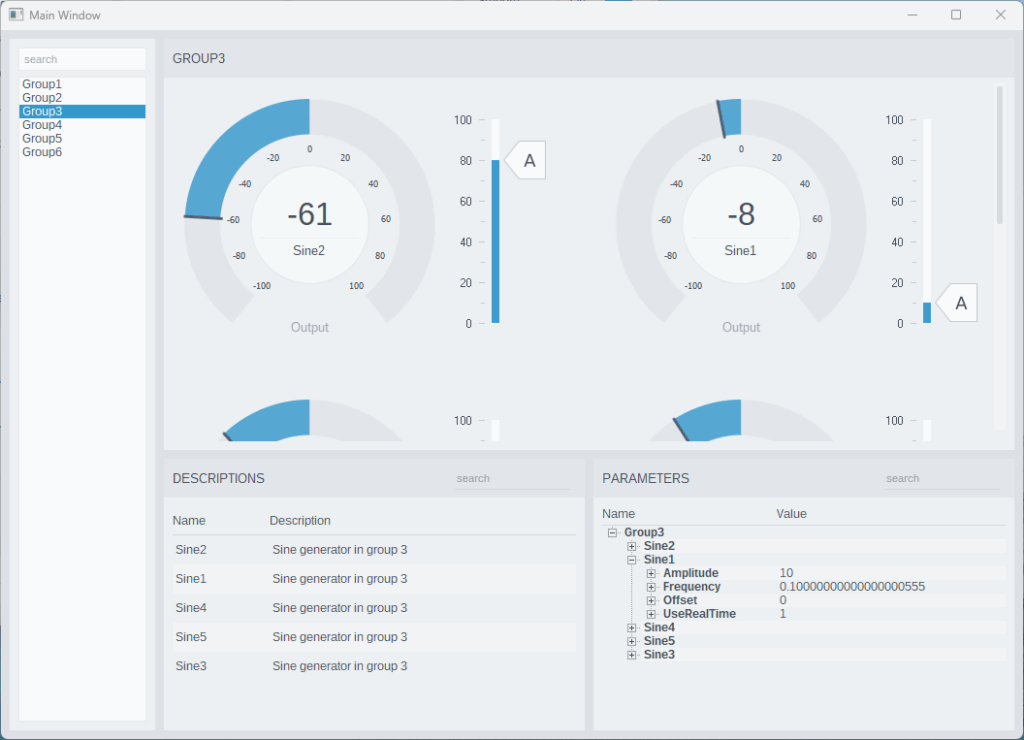
Create adaptive HMIs that automatically update based on connected data. Node widgets can list, group, or display elements dynamically – ideal for systems where the number of objects changes at runtime. This enables flexible, data-driven interfaces without manual configuration.
Native and Web UI
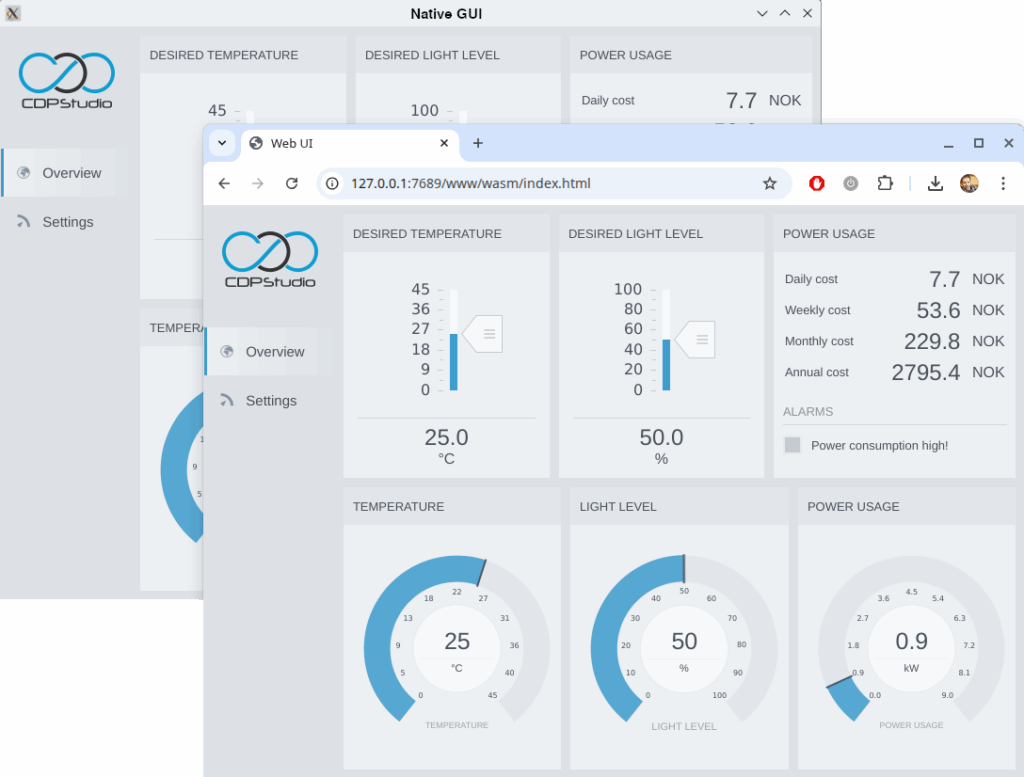
The same HMI project can run as a native desktop application, on embedded hardware, or in any modern web browser. Choose the platform that fits your system best — without redesign.
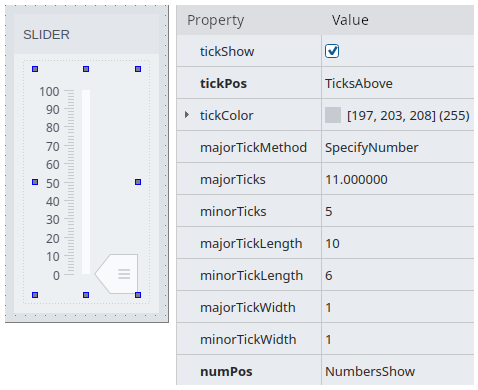
Configurable Widget Properties
Each widget can be precisely adjusted through the property panel – from colors and labels to behaviors and signal bindings – giving developers full control without writing code.
Custom Elements
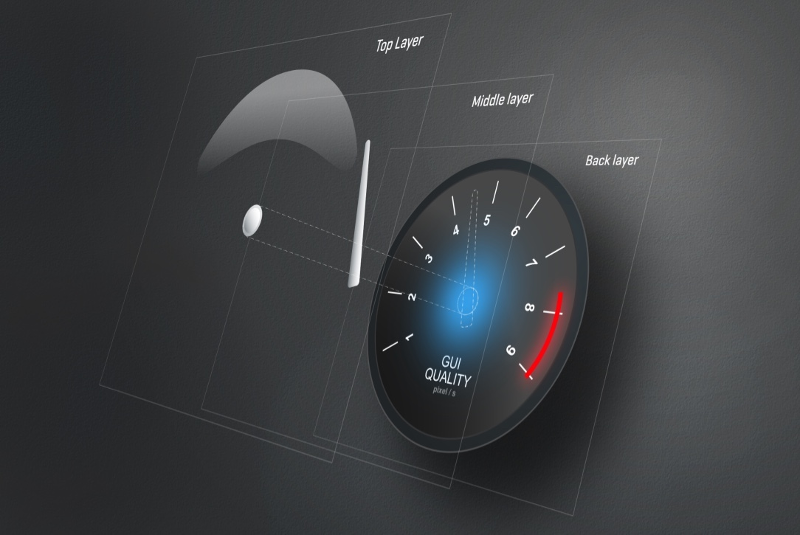
Complex interface components, such as the navigation instruments in Open Bridge, are created by mixing and stacking CDP Studio’s base widgets.
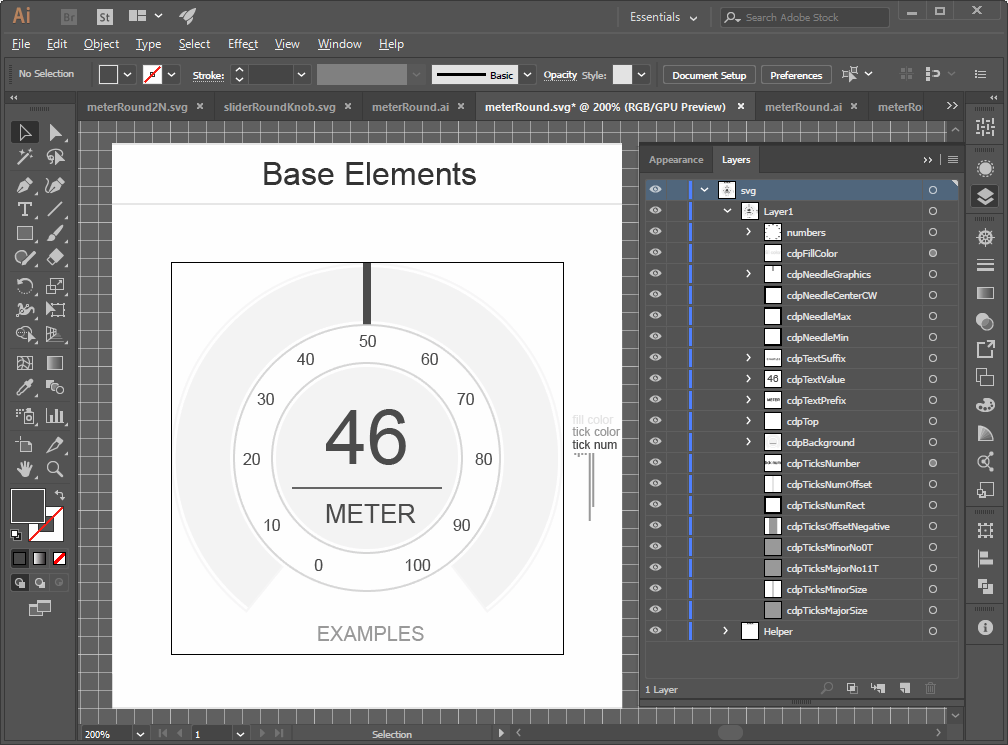
These designs are exported from Figma as SVG files, with named elements like needles and scales that the widgets recognize. By combining these SVG parts with other base widgets, designers can build rich, data-driven instruments that remain fully theme-aware.
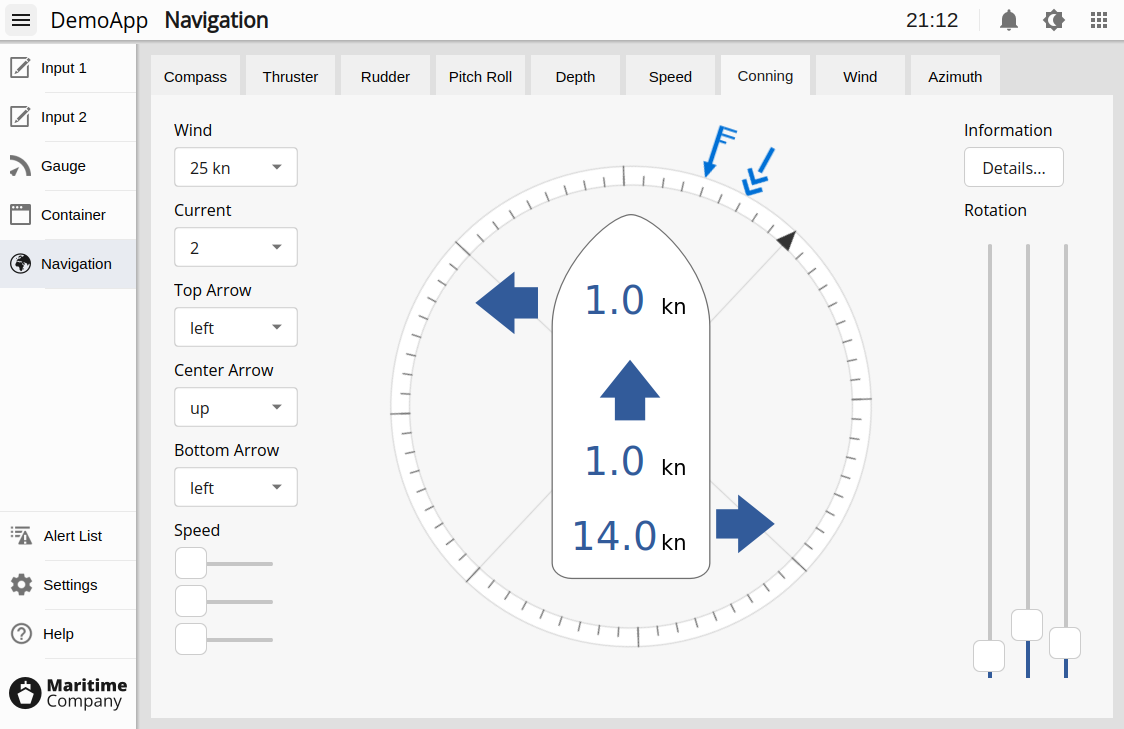
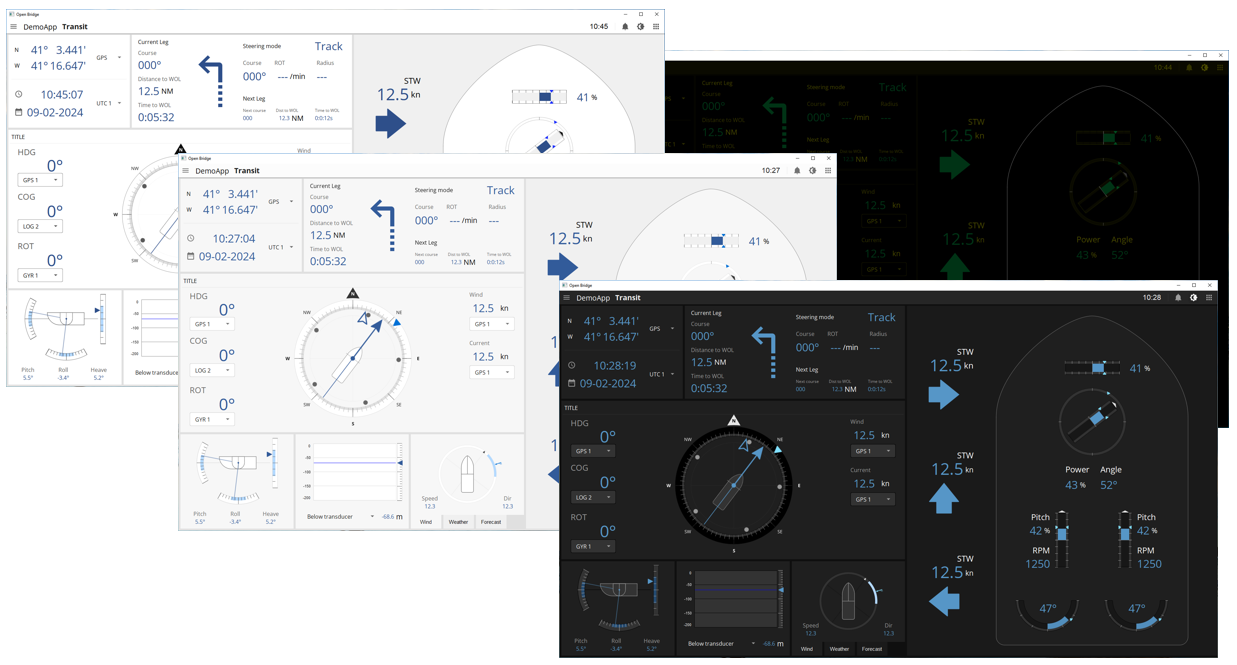
Open Bridge
The Open Bridge themes and elements provide a professional, high-contrast design inspired by maritime standards for color, contrast, and readability.
Developed from SVG files exported from Figma and aligned with the official Open Bridge Development Guidelines, they ensure clarity, consistency, and accessibility in any industrial or operational environment – not just at sea.
Read more…
Dynamic Dialogs and Menus
Create flexible menus, floating submenus, and dialogs that open from any trigger button, with positioning fully defined by the designer. Perfect for building modern, intuitive operator environments.
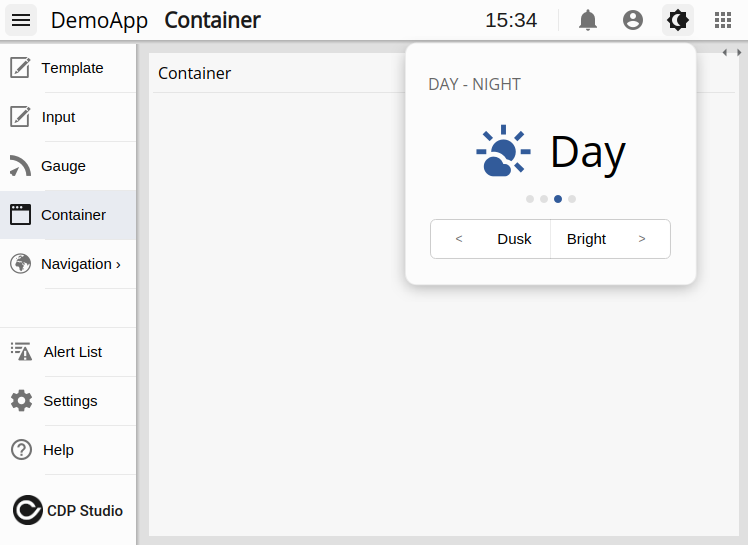
Context dialog
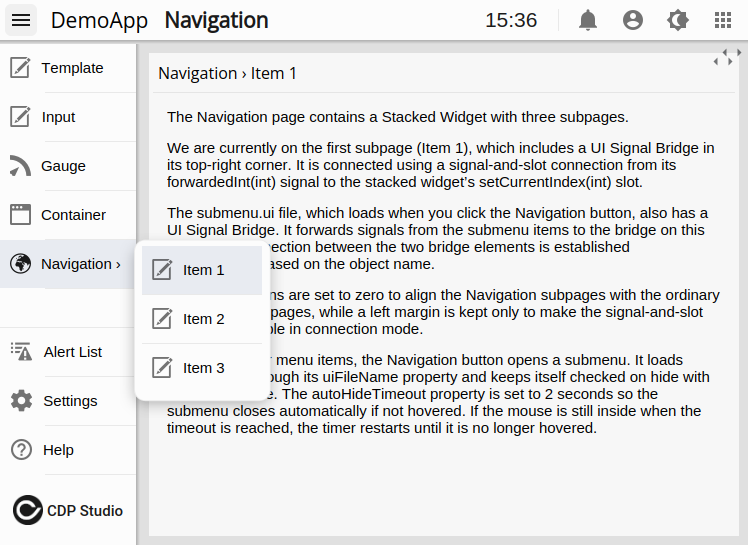
Floating sub-menu
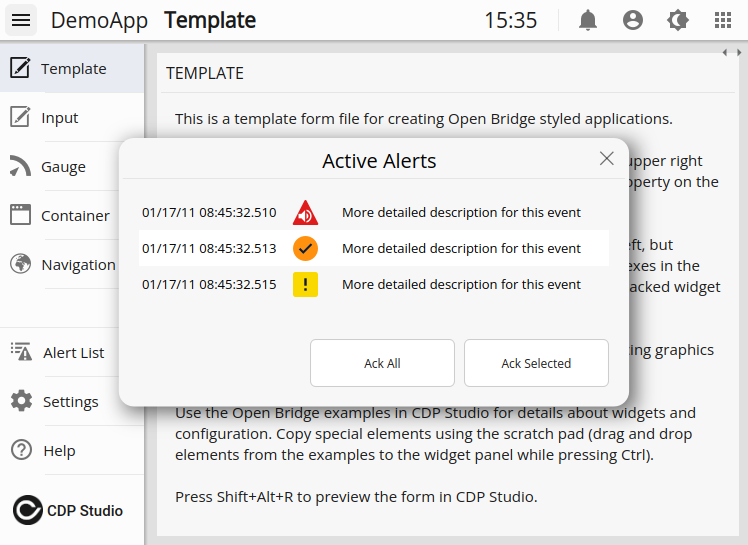
Standard dialog
Trends and Historical Data
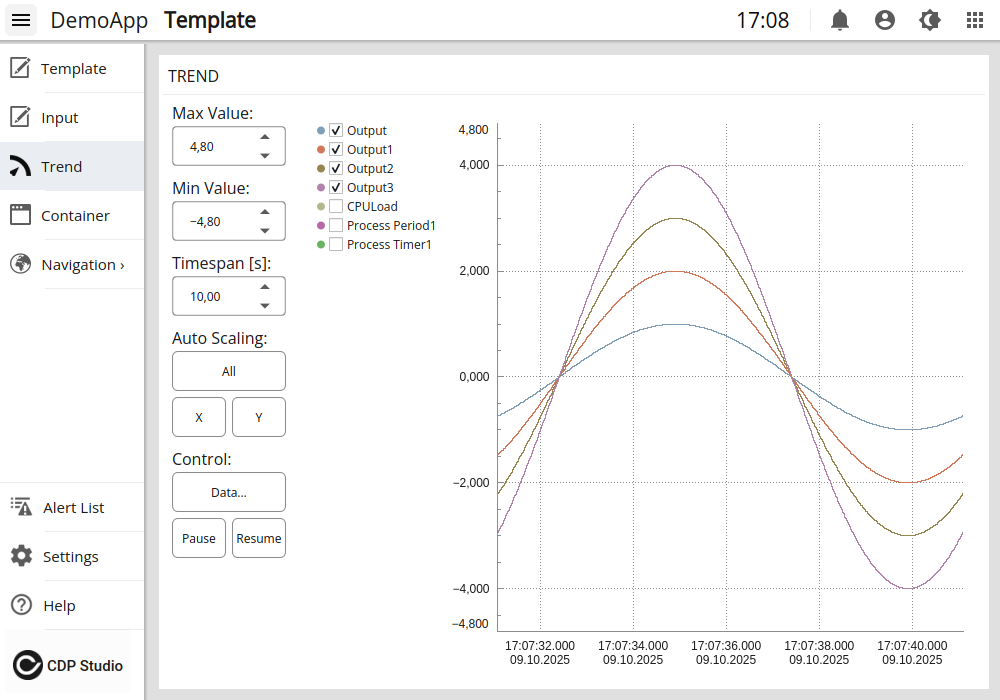
Visualize logged data directly in your HMI with the Database Graph widget. Connect to the CDP Logger to display trends over time, compare signals, and analyze system behavior. Historical and live values can be shown together, giving operators instant insight into both current status and long-term performance.
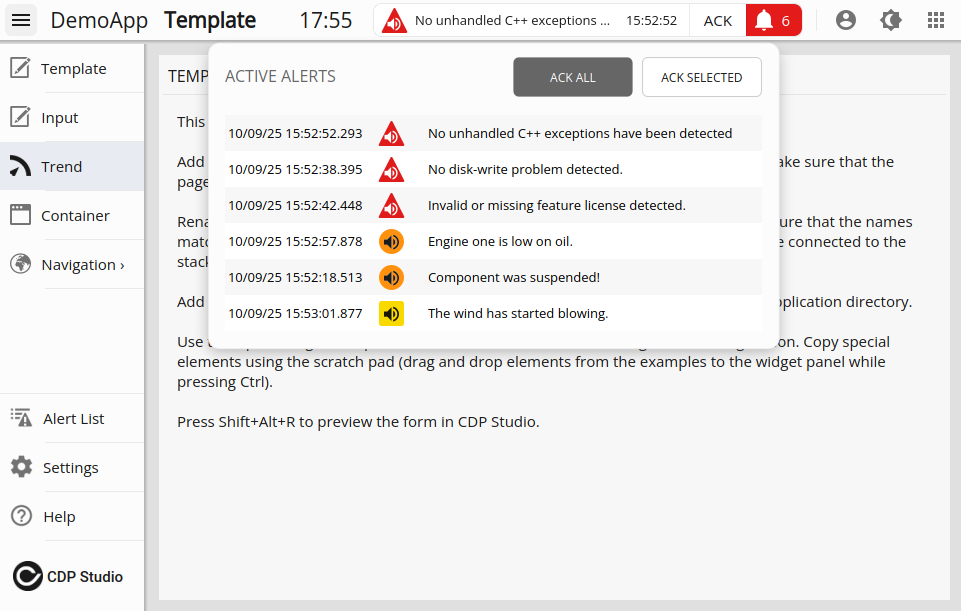
Alarms and Notifications
Stay on top of system events with a built-in alarm list that displays active alarms directly in your HMI. Operators can acknowledge alarms instantly, while historical alarms can be reviewed for analysis and troubleshooting. Configurable and integrated — ensuring safe and efficient operations.
Reusable Components
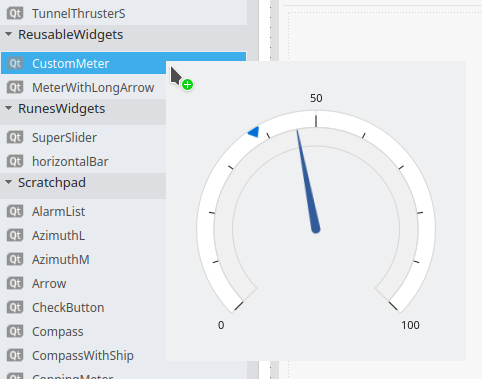
Save time and reduce errors by reusing design elements across projects. Drag widgets or groups into a scratchpad or library, then drop them into new designs with ease.
Language Support
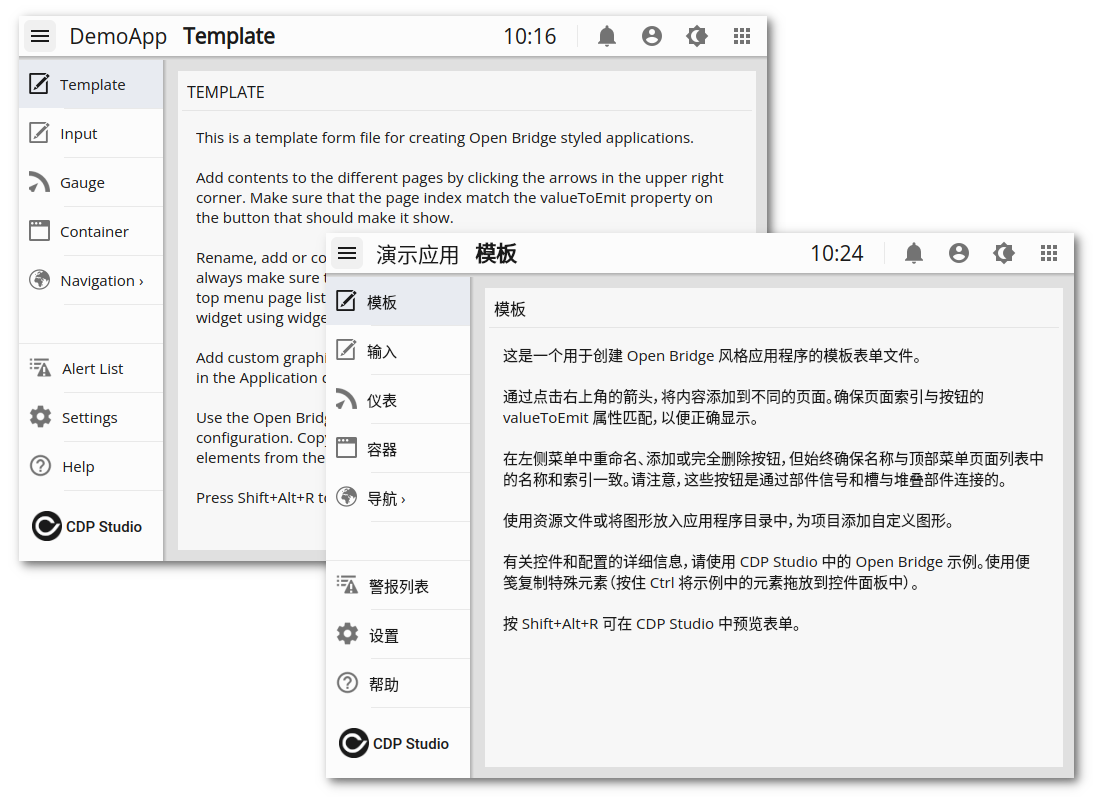
Deliver HMIs in multiple languages with seamless runtime switching. Localize labels, dialogs, and messages to match operator needs.
Custom Elements and Styling
Extend the widget library with your own SVG-based instruments or transform existing widgets through property styling. Entire applications can be restyled instantly with new themes.
Create new widgets using SVG files
Create with Adobe Illustrator
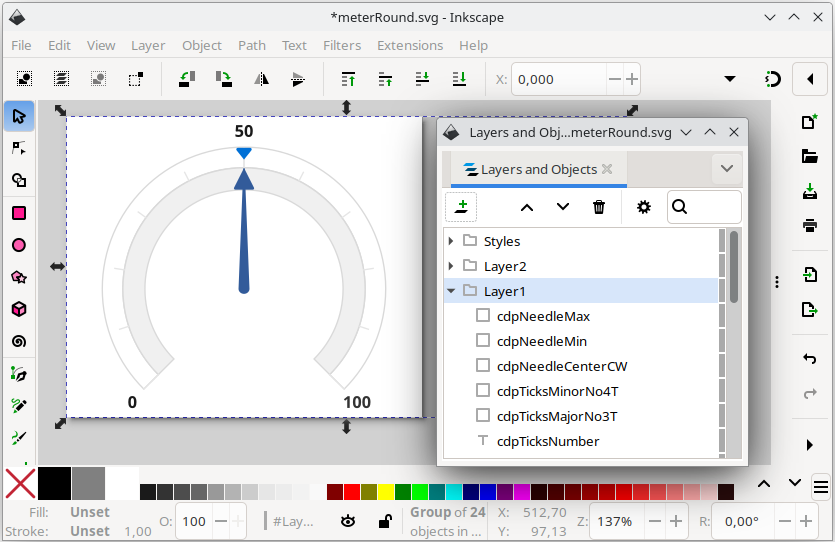
Create with Inkscape
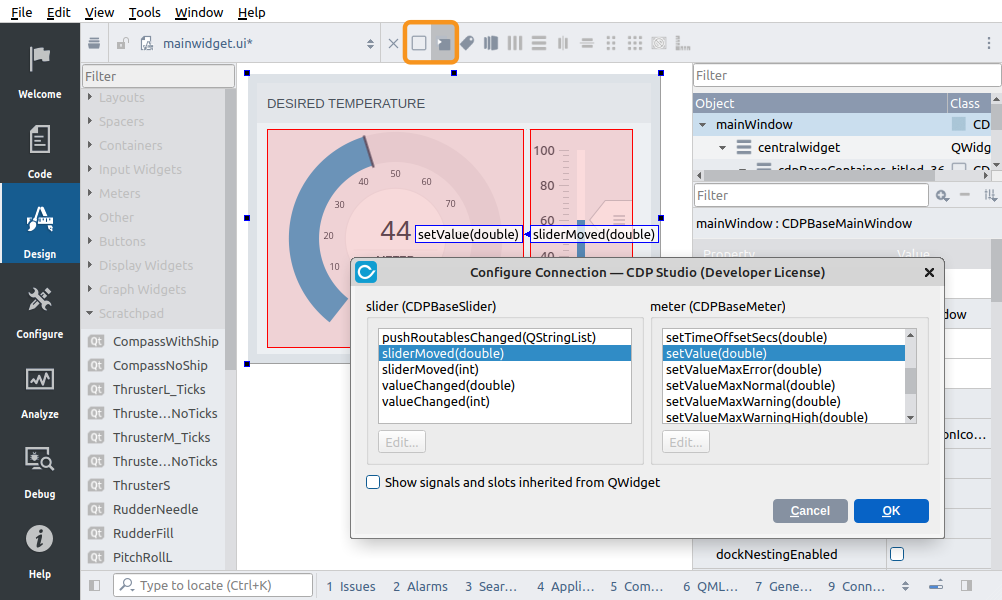
Connection Mode
Create connections between widgets within the HMI using Signal-and-Slots.
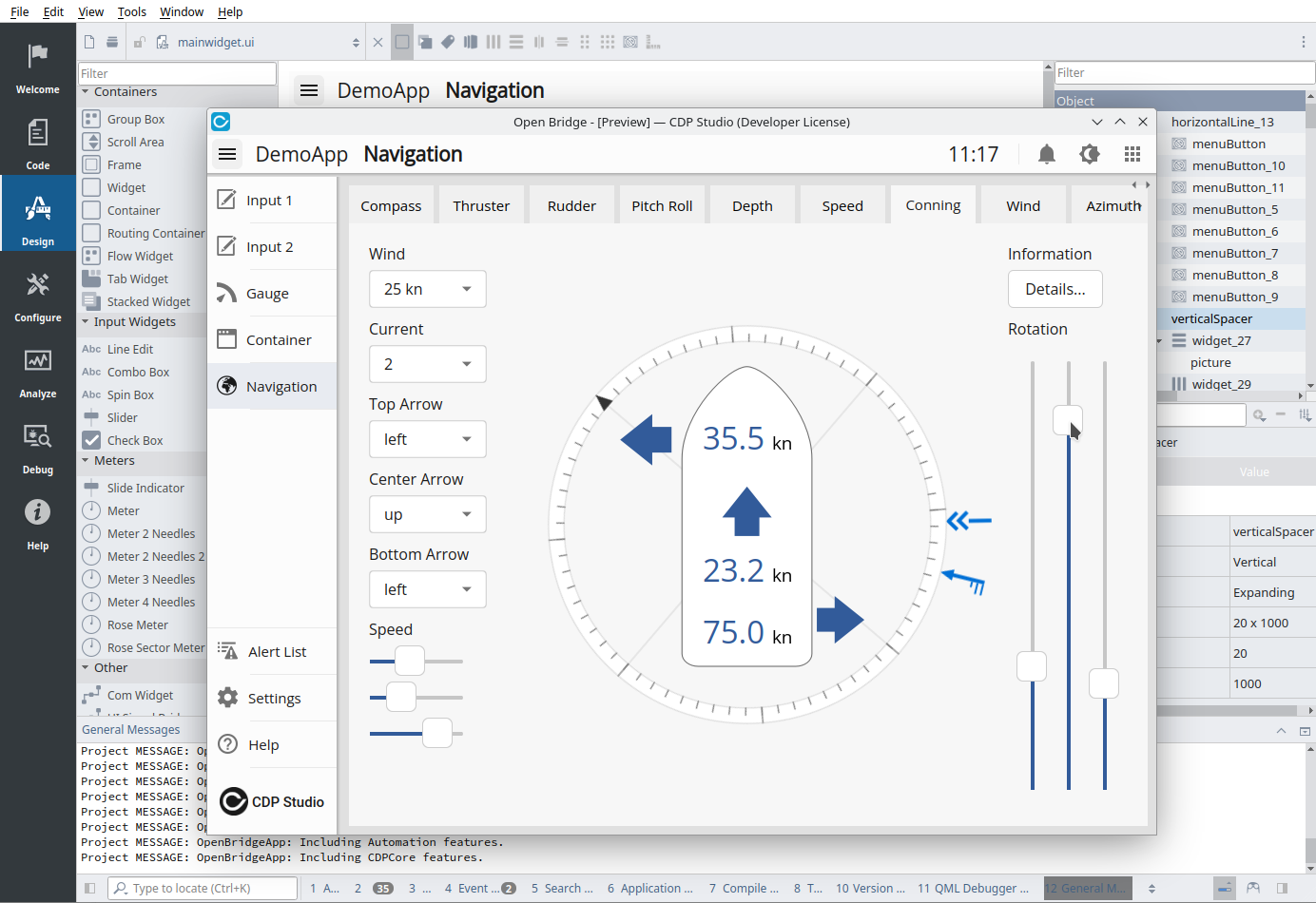
Live Preview
Test your design instantly without leaving the editor. Widgets respond to signals and slots in real time, so you can verify behavior, scaling, and interactions as you build. Layout managers ensure precise alignment for professional results.
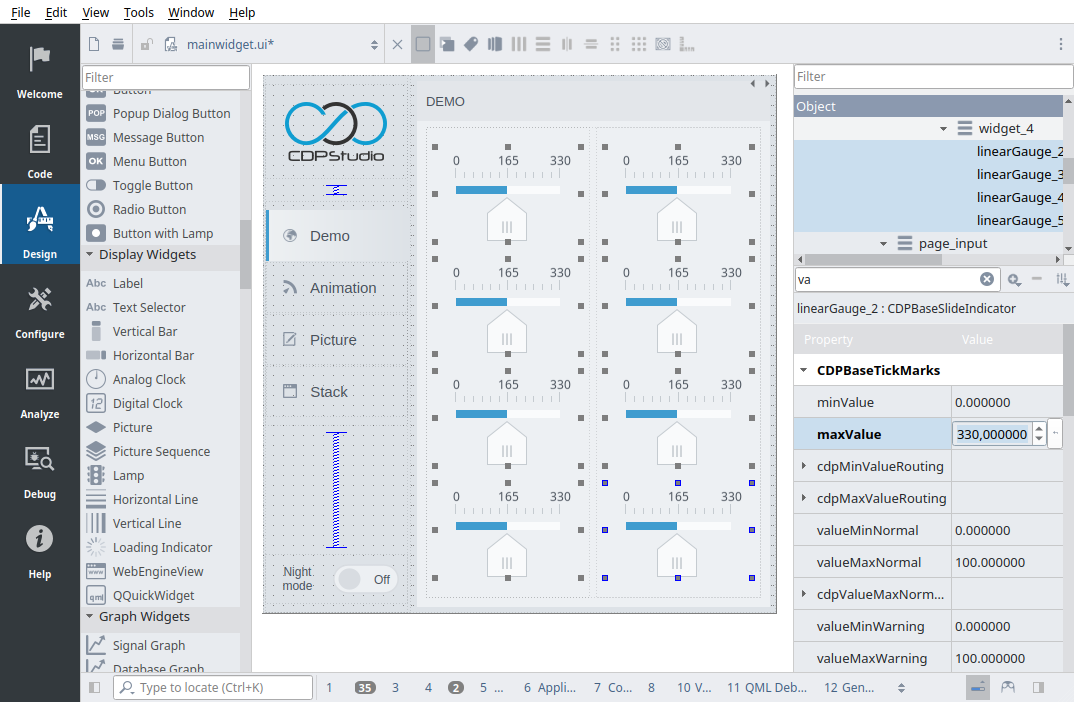
Multi-Select and Batch Editing
Work faster in Design Mode by selecting multiple widgets of the same type and configuring their properties in a single step. Copy, align, and adjust groups of elements together instead of one at a time — a powerful time-saver for larger UIs.
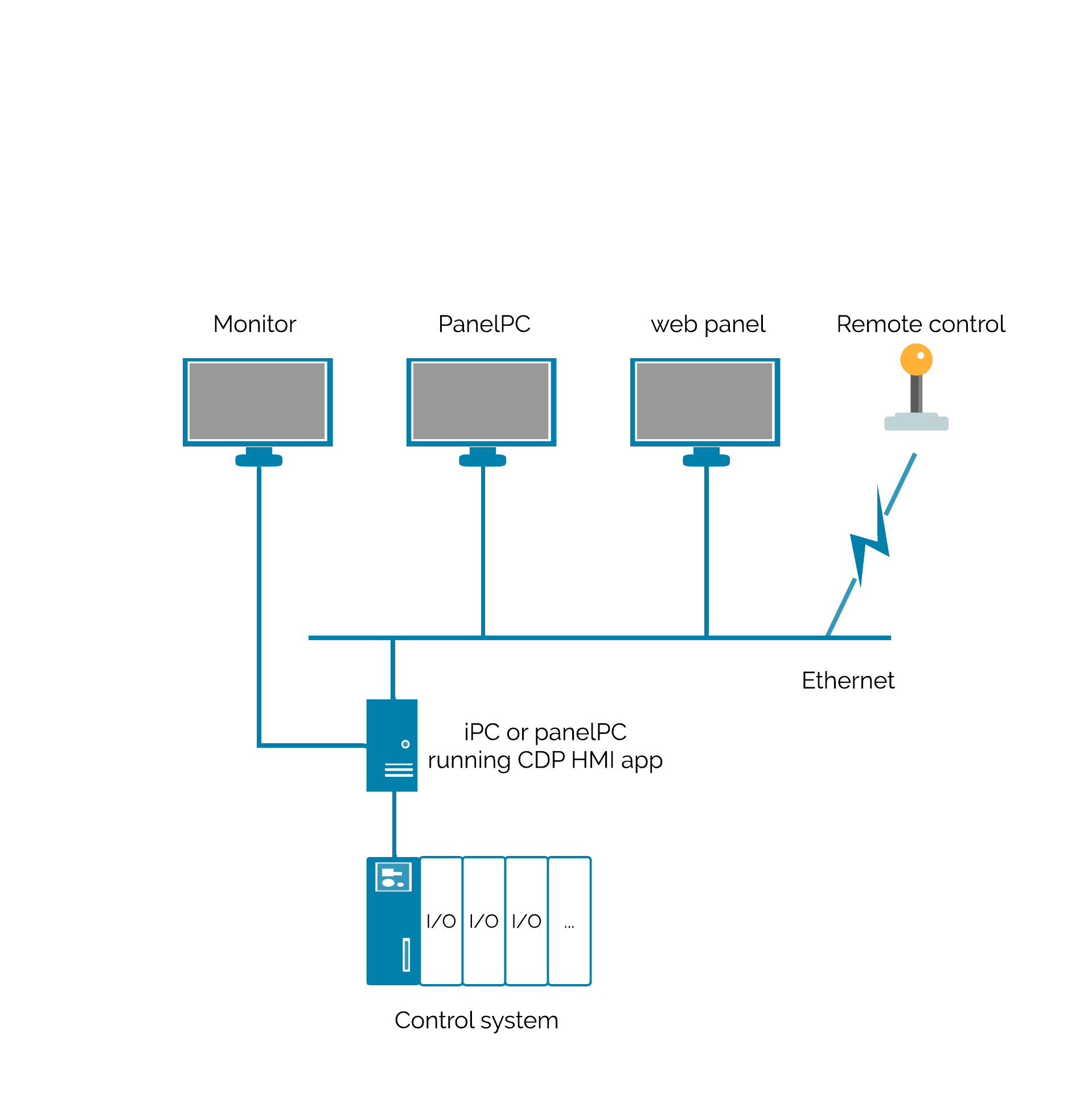
Multi-HMI systems
Systems sometimes have multiple HMIs, and this is seamlessly supported out of the box. Only a single connection to the control system is required, and remote-control devices can be added to the HMI application rather than directly to the control system.
In-command functions can be added to the HMI application to ensure that only 1 HMI is in command and can control the system. The other HMI instances are then set in read-only mode.
Access control and logging are managed per UI instance without any specific configuration.
Emergency control HMIs are supported. These must always be available and function regardless of access control, and must be available without logging in.
Cyber Security
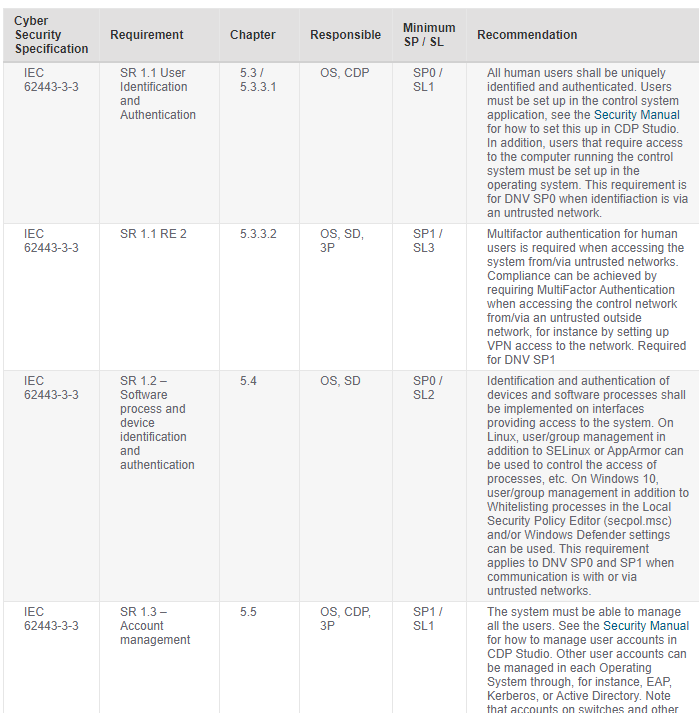
Cyber Security is important for many applications. CDP Studio has cyber security built into the system core and is compliant with the IEC 62443-3-3 security standard
The UI designer includes specific guidelines for ensuring that the application is set up to comply with maritime cyber security standards.
CDP Studio has pre-made security features that enable you to create cyber-secure maritime UIs using the no-code editor and fill in the cyber security tables. This significantly simplifies creating maritime cyber-secure compliant UIs.
End-user management and Access control
The new security regulation requires access control and logging of user actions. Therefore, a system requires a user management solution.
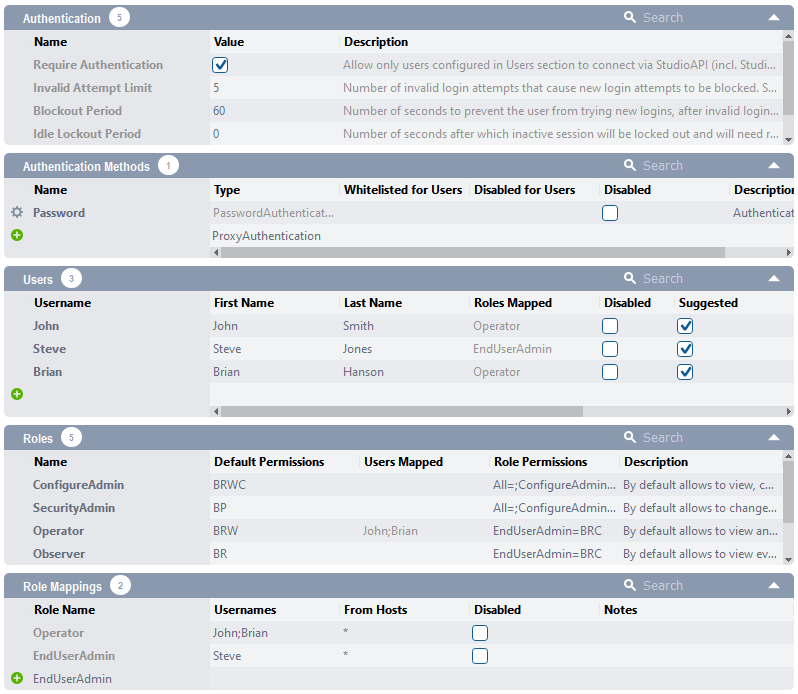
A complete end-user management and access control system is provided. Here, you set up the access control to the system, define user roles (groups) and set role mapping and access rights to system components or individual variables.
A web user interface is provided for the end customer’s user admin to manage the system operators (users). The system admin can create, delete, set passwords and assign the users to defined roles.
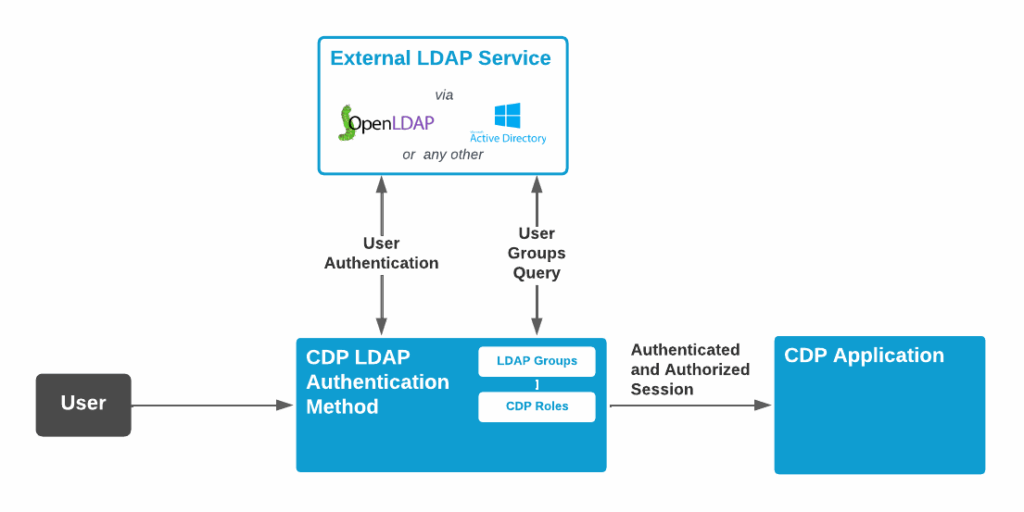
Alternatively, use LDAP and connect the user administration to your and your customers company access system.
The system provides a customisable login window and logout functions. Functions for logging user actions are also provided and easy to enable.
User interfaces can be designed so that widgets or tabs are hidden from users who do not have access to specific features. For example, the options tab is only visible to users with the correct access rights.
In the HMI, tabs or information can be shown or hidden depending on a user’s access rights.
SAFE SYSTEM MAINTENANCE
System maintenance and upgrades
Get continuous updates for new cyber security requirements, OpenBridge version…, and easy and safe mechanisms for maintaining delivered projects.
Maritime systems are used for extensive periods, often more than 20+ years. Cyber security threats, fast-evolving technology, and new standards create a need to maintain and upgrade systems. This applies to delivered systems and the product you will sell over years.
Cyber security requirements are regularly updated, and new versions of OpenBridge will emerge. CDP Studio will implement these new standard versions and requirements when they arrive.
CDP Studio is also continuously improving with new features, capabilities, and hardware device support. This includes security patches when needed.
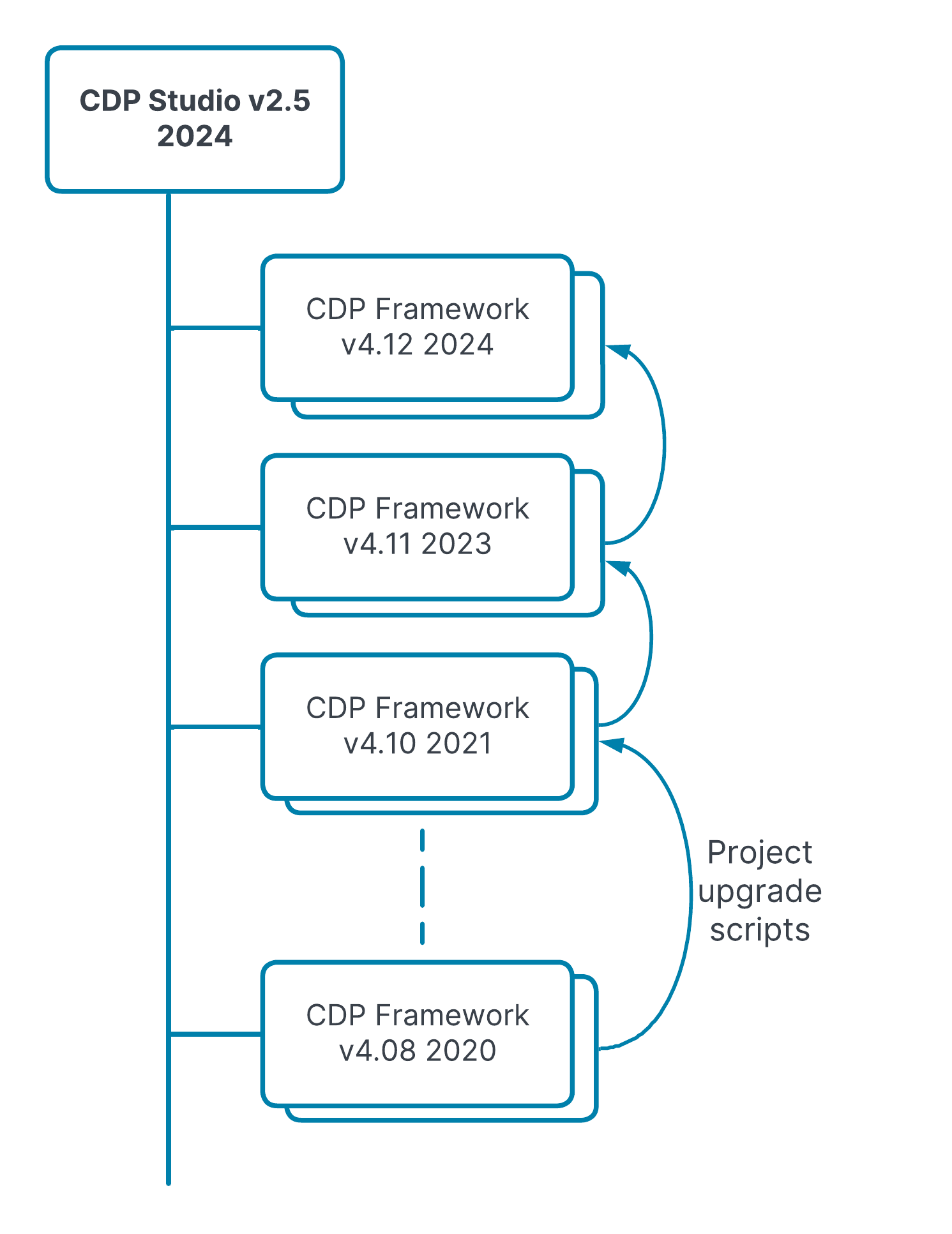
Your projects are easily upgraded to newer versions using the included upgrade scripts.
The latest CDP Studio Designer (IDE) can open “old” projects in the same development environment used when the project was delivered. Fixes can be made, and the system rebuilt with the original environment, significantly reducing the risk of introducing new bugs.
Therefore, CDP Studio reduces the cost and risk of maintaining and upgrading your systems.
Talk to us
Do you wonder how CDP Studio can be used in your products or solutions?
Book a demo with one of our team.