
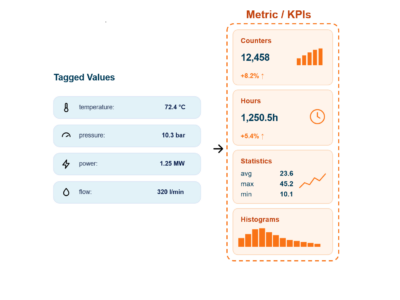
The release introduces major advances in AI-assisted engineering, a powerful new Metrics System for operational intelligence, new device support, improved HMI capabilities, and hundreds of features and usability improvements.
Introducing the New Metrics System
One of the most important additions is the new Metrics System within Intelligent Edge.
The Metrics System provides a powerful framework for capturing, calculating, and analyzing operational KPIs directly from live system data. This enables engineers and operators to gain deeper insight into system performance, health, and utilization over time.
The new metrics capabilities make it easier to:
- Monitor operational efficiency
- Track performance trends
- Analyze uptime and production quality
- Build data-driven dashboards and HMIs
- Improve decision-making using real operational data
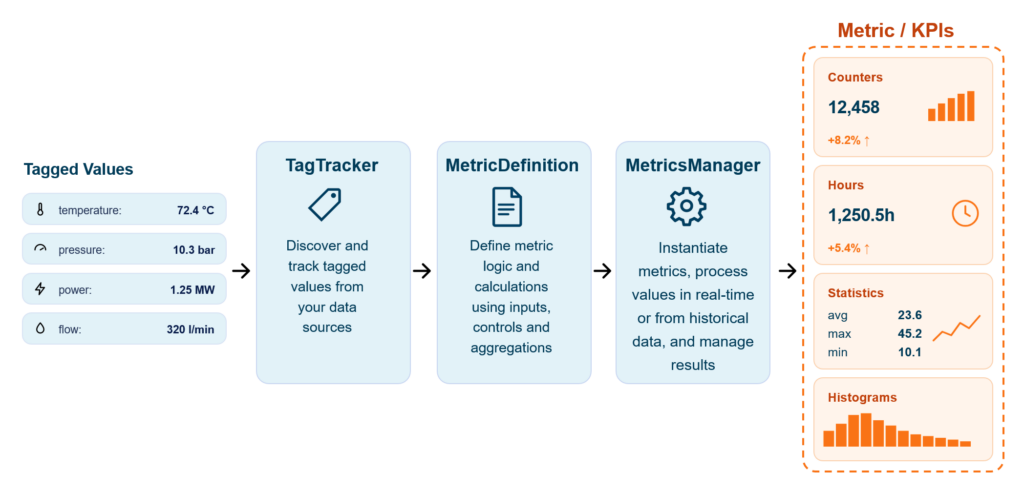
This release significantly strengthens CDP’s capabilities for operational analytics and intelligent edge computing.
Read more about Metrics System and see the example project.
AI Assistant
AI Assist takes another major leap forward. The new version introduces significantly enhanced AI capabilities and includes a new AI Code support. The new AI Code support works like a personal CDP developer with a deep understanding of CDP concepts, components, application structures, and can read documentation.
The AI Assist is smarter, faster, and context-aware.
New highlights include:
- Significant AI capability enhancements
- New AI Assist code support
- AI-generated code modifications with CDP-specific understanding
- Background AI tasks with notifications when completed
- Local shell tool execution (when enabled)
- Diff views for reviewing AI-proposed code changes safely
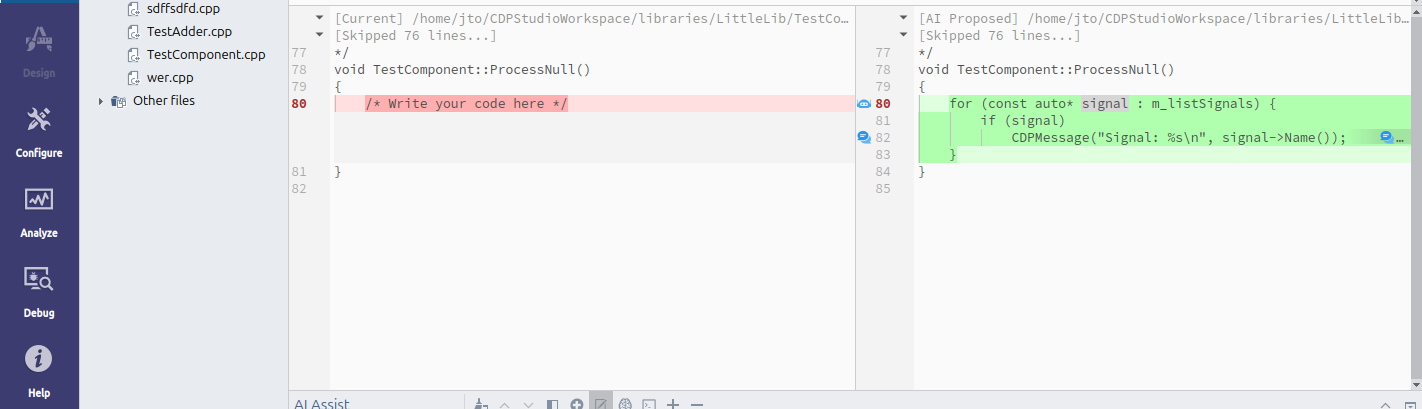
The new AI Code assist diff-based workflow makes AI-assisted development safer and more transparent by allowing engineers to review proposed modifications before applying them.
AI Assist can now also perform longer-running tasks in the background while you continue working uninterrupted.
Read more about the AI Assistant.
We or our underlying AI engines do not use your data to train the models.
HMI and OpenBridge Improvements
The HMI system receives several useful enhancements.
- HMIs and loggers in Redundant systems will now automatically follow the leader application, and you do not need to add MUXes in non-redundant applications, such as an HMI application, to follow the leader. Read more for HMI and Logger, and how to set an application to follow a specific redundant application (e.g., have a separate logger for each redundant application).
- OpenBridge Widgets are now available as a pre-made library in Design Mode
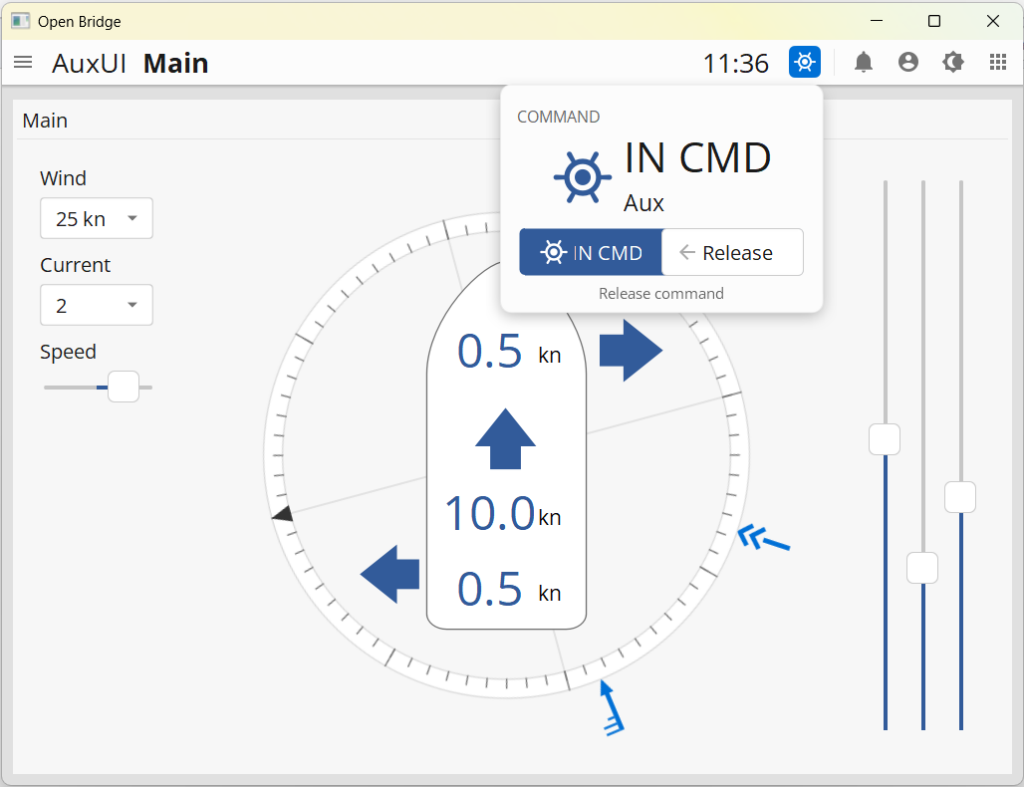
- The Maritime “In Command” feature has been added to the OpenBridge HMI template. The full feature and logic are demonstrated in a new In command example. To use the full feature, copy the “CommandServer” block from the example
- Dynamic HMI improvements include the option to add any dynamic properties, including tags to select which and how many instances to show. This allows you to create very flexible and dynamic HMIs, read more here.
- New HMI Report Container for generating reports and exporting reports in PDF, SVG, or PNG formats.
Expanded Device and Toolkit Support
There are several important updates for industrial hardware and device integrations.
New and updated support includes:
- PLCnext firmware 2025 and 2026 support, the PLCNextIO module no longer required
- WAGO 64-bit toolkit with support for: PFC300, WP400, and TP600
- WAGO firmware 30/31 support Updated
Database, Logging, and Data Management
New database backends and data management have been improved:
- Timescale databases are now supported
- Persistent properties can load/store values from external sources (like SQLite database), instead of XML-stored values. This is especially useful for storing installation-specific data and KPIs
- PostgreSQL support added to the CDP2SQL C++ interface
- CDP property values can now be stored encrypted in XML configuration files (e.g. passwords)
General Improvements
The new release has hundreds of improvements, smaller features, and fixes. The following are once to check out:
- Optimize Analyze mode to share data models between graphs in the same tab. Solves overloading the target controller when plotting historic data from the CDPLogger database
- CDPStudio API: The Protobuf protocol, StudioAPIServer, and C++ client have been improved to be highly resilient to TCP packet loss for very unstable networks
- CDPStudio API: Add StudioAPI proxy service to serve data from a distributed (DCS) through a single application, very useful in remote system access
- License: Central license server support for distributed systems (DCS)
- Improved protobuf protocol handling
Release Notes
Read the full change log in the Release Notes pages.